
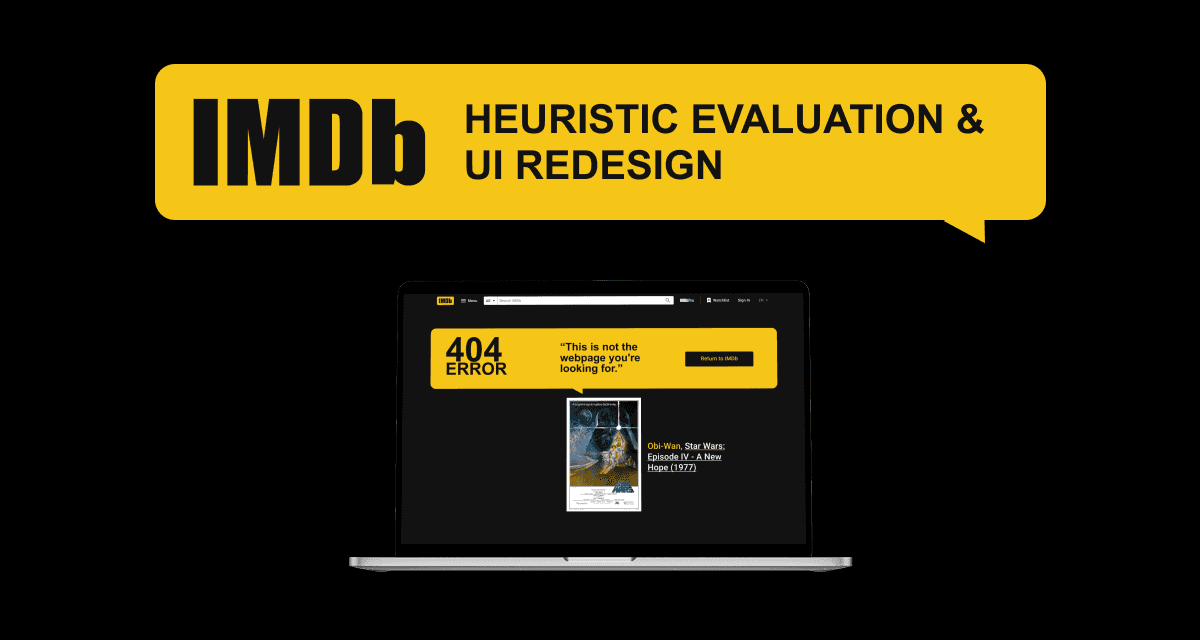
Overview
IMDb is the global authority on entertainment data, yet its user interface suffers from significant usability debt and visual clutter. This case study explores a comprehensive Heuristic Evaluation and UI Redesign aimed at modernizing the user experience.
By applying Nielsen Norman Group's 10 Usability Heuristics for User Interface Design and taking inspiration from Don Norman's The Design of Everyday Things, I identified critical friction points in the content discovery journey and engineered a streamlined, intuitive interface that prioritizes content findability and user retention.
Visibility of System Status
The design should always keep users informed about what is going on, through appropriate feedback within a reasonable amount of time.
Match Between System and the Real World
The design should speak the users' language. Use words, phrases, and concepts familiar to the user, rather than internal jargon.
User Control and Freedom
Users often perform actions by mistake. They need a clearly marked exit without having to go through an extended process.
Consistency and Standards
Users should not have to wonder whether different words, situations, or actions mean the same thing. Follow platform-specific and industry conventions.
Error Prevention
Even better than good error messages is a careful design which prevents a problem from occurring in the first place.
Recognition Rather Than Recall
Minimize user's memory load by making elements, actions, and options visible and recognizable from one part of the interface to another.
Flexibility and Efficiency of Use
Shortcuts hidden from novice users may speed up the interaction for the expert user so that the design can cater to both inexperienced and experienced users.
Aesthetic and Minimalist Design
Interfaces should not contain irrelevant information. Extra information units compete with the relevant units and diminishes their visibility.
Help Users Recognize, Diagnose, and Recover from Errors
Error messages should be expressed in plain language, precisely indicate the problem, and constructively suggest a solution.
Help and Documentation
It’s best if the system doesn’t need any additional explanation. However, it may be necessary to provide documentation to help users understand how to complete their tasks.
Define Heuristic Evaluation
Heuristic Evaluation serves as a systematic inspection of a user interface to identify usability issues based on established design principles. Unlike user testing, which relies on participant behaviour, a heuristic evaluation is an expert-led review that measures a product against "rules of thumb" to uncover friction points in the interaction design.
For this case study, I applied the 10 Usability Heuristics highlighted by Nielsen Norman Group, the industry standard for human-computer interaction. These principles act as a diagnostic framework to ensure the interface is intuitive, reliable, and user-centric.
Severity Scale
For the IMDb redesign, I utilized Nielsen Norman Group's Severity Scale to categorize usability defects. This systematic approach ensures that design and engineering efforts are allocated to the most critical "show-stopping" issues first, preventing the team from being distracted by minor cosmetic updates when core functionality is compromised.
The scale ranges from 0 (No Problem) to 4 (Usability Catastrophe), providing a clear hierarchy for the project roadmap.
0 (No Problem)
"I do not agree that this is a usability problem at all."
1 (Cosmetic Problem Only)
"A minor issue that doesn't hinder the user's task but affects the visual polish. Need not be fixed unless extra time is available."
2 (Minor Usability Problem)
"Fixing this should be given low priority. Users can generally navigate around the issue with minimal frustration."
3 (Major Usability Problem)
"Important to fix, so it should be given high priority. This issue significantly frustrates users and slows down task completion."
4 (Usability Catastrophe)
"Imperative to fix before this product can be released. The issue prevents the user from completing their primary goal."
User Task Flow
I strategically developed a blueprint to map out the complex logical systems of the IMDb user experience, focusing on optimizing the "Happy Path" for content discovery. By visualizing the user’s decision-making process through distinct logic gates and decision nodes, I was able to identify potential bottlenecks and ensure that the transition from a broad search to specific movie details remains frictionless.
This phase was critical for pressure-testing the navigation architecture, ensuring that users are never met with a "dead end" even when faced with zero search results or multiple similar titles.
In this redesign, I prioritized linear progression by stripping away secondary informational "noise" and focusing the flow on the primary user intent: validating a viewing decision. By restructuring the flow to highlight critical data points—such as ratings, runtimes, and "Where to Watch" links—the Information Architecture was audited to reduce cognitive load and improve overall findability.
This systematic approach ensures a predictable and efficient journey, establishing a high-utility framework that balances data density with a modern, streamlined user experience.

UI Redesign — Main Menu
The original user interface of the IMDb navigation system involved a total overhaul of the Information Architecture (IA). By auditing the original "mega-menu" footer, I identified that the fragmented links were creating a high degree of interaction cost and cognitive friction.
This was ranked as a Level 3 (Major Usability Problem). While it didn't completely "break the app", it caused persistent frustration and decreased the overall efficiency of use. Also, the sheer volume of choices increased the time required for decision-making, which often discourages users from further exploration.
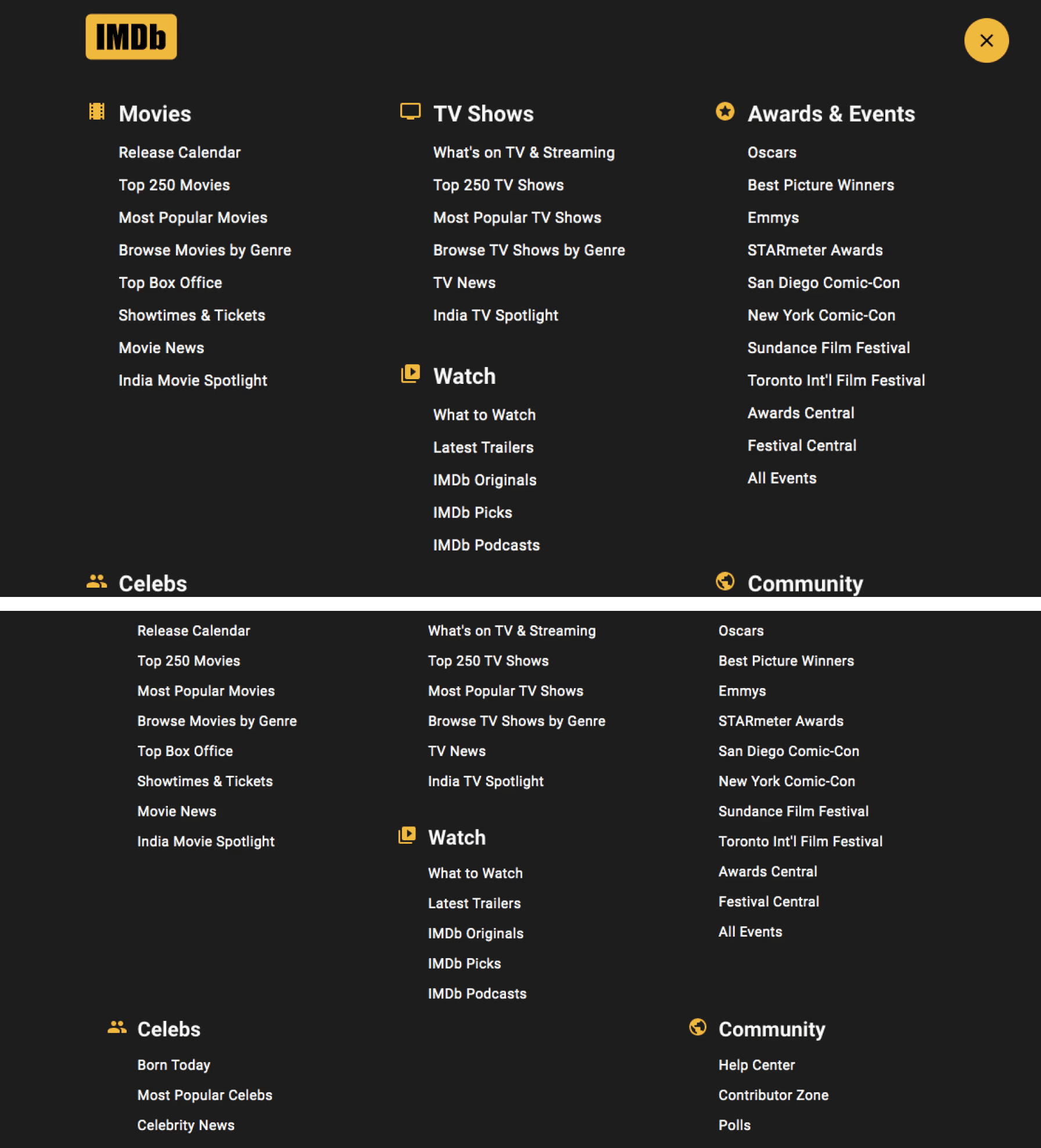
My revised solution transitioned the footer from a link repository to a strategic navigation hub. This overhaul utilized progressive disclosure to nest secondary categories within contextually relevant discovery pages, effectively adhering to the principles of Flexibility and Efficiency of Use and Aesthetic and Minimalist Design.
Key architectural improvements included elevating the Watchlist to a primary tab to significantly reduce interaction cost for returning users. By combining standardized iconography with clear active-state feedback, the revised solution establishes a predictable mental model that balances high data density with the streamlined efficiency required for a modern user experience.
UI Redesign — News Section
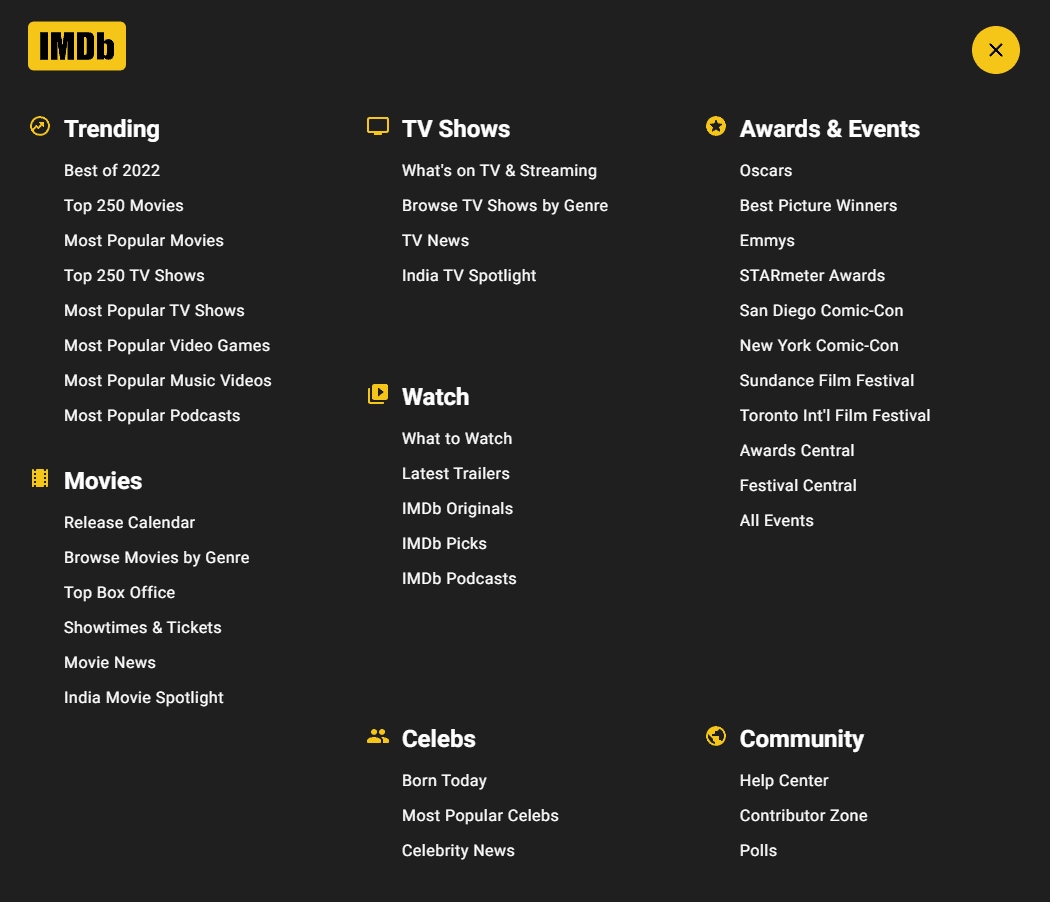
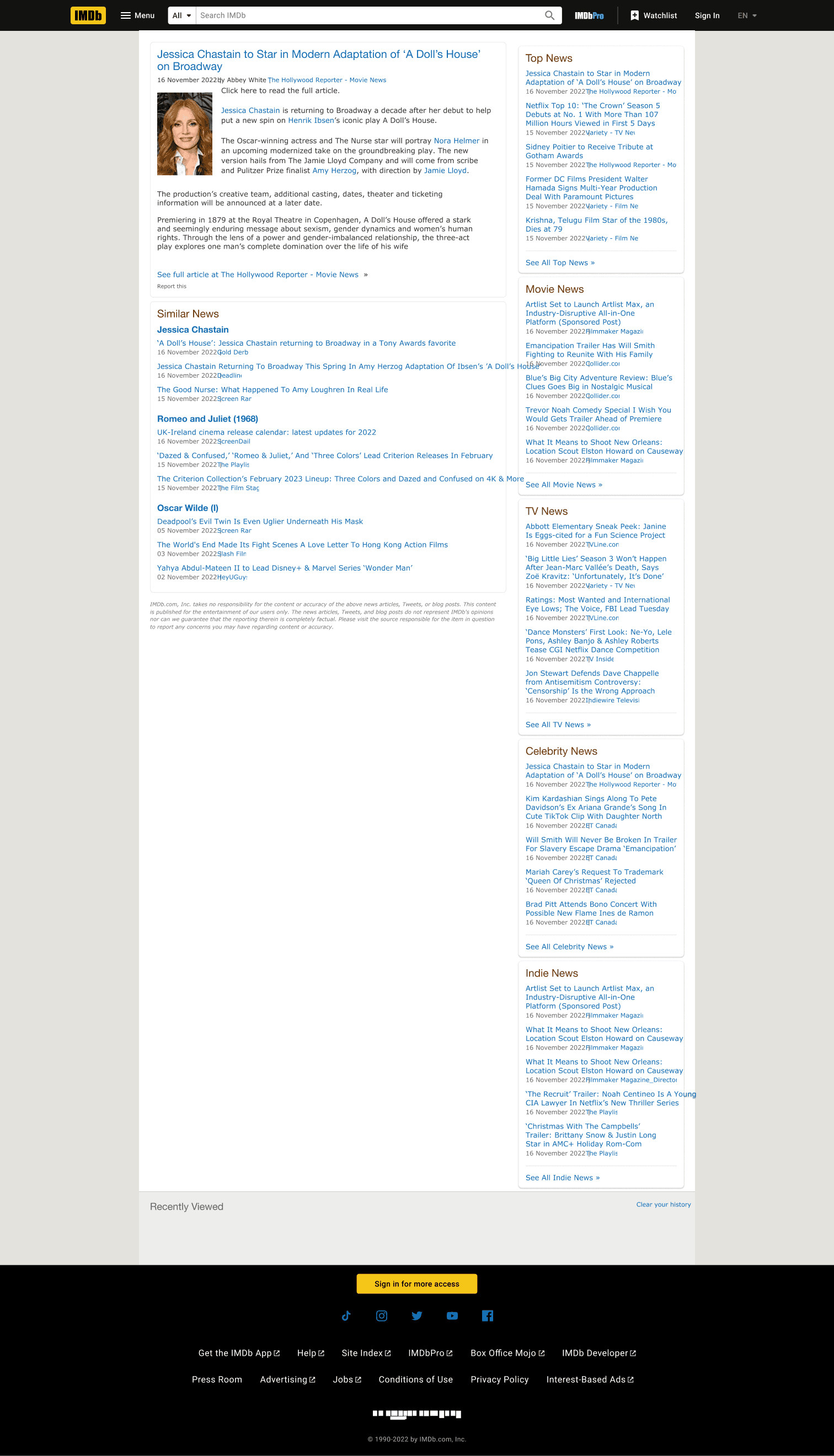
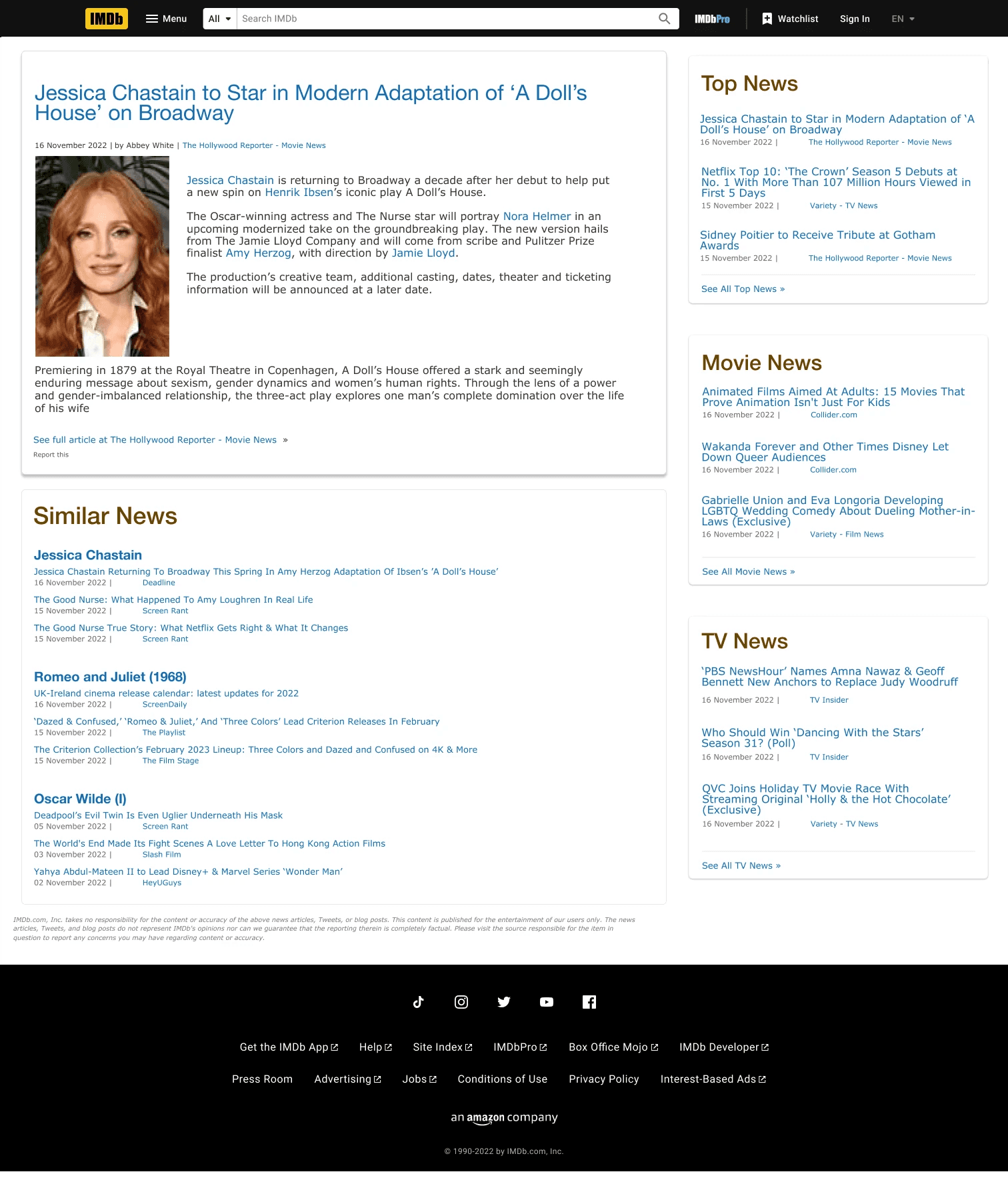
The original user interface of the IMDb "News" section suffered from significant visual noise and a lack of information grouping, which directly impeded the user’s ability to consume content. The absence of a clear typographic hierarchy resulted in high cognitive friction, as the feed felt more like a raw data feed rather than a curated news destination.
This was ranked as a Level 2 (Minor Usability Problem). While the information was technically present and the links functioned, the poor layout slowed down scanning speeds and decreased user engagement. It didn't prevent the user from reading the news, but it made the process unnecessarily taxing and less visually appealing.
To resolve these issues, the revised design implements Aesthetic and Minimalist Design by introducing card-based containers that logically group the image, headline, and metadata. I applied a rigorous typographic scale, giving the headlines more prominence and utilizing secondary colors for timestamps to establish a clearer Visual Hierarchy.
Additionally, the redesign follows Consistency and Standards by implementing a "Top News" carousel and categorized section headers, allowing users to filter content based on interest. By adding a prominent "Share" action and cleaning up the alignment, the revised "News" section prioritizes readability and engagement, turning a high-density list into a scannable, modern editorial experience.
UI Redesign — Help Center
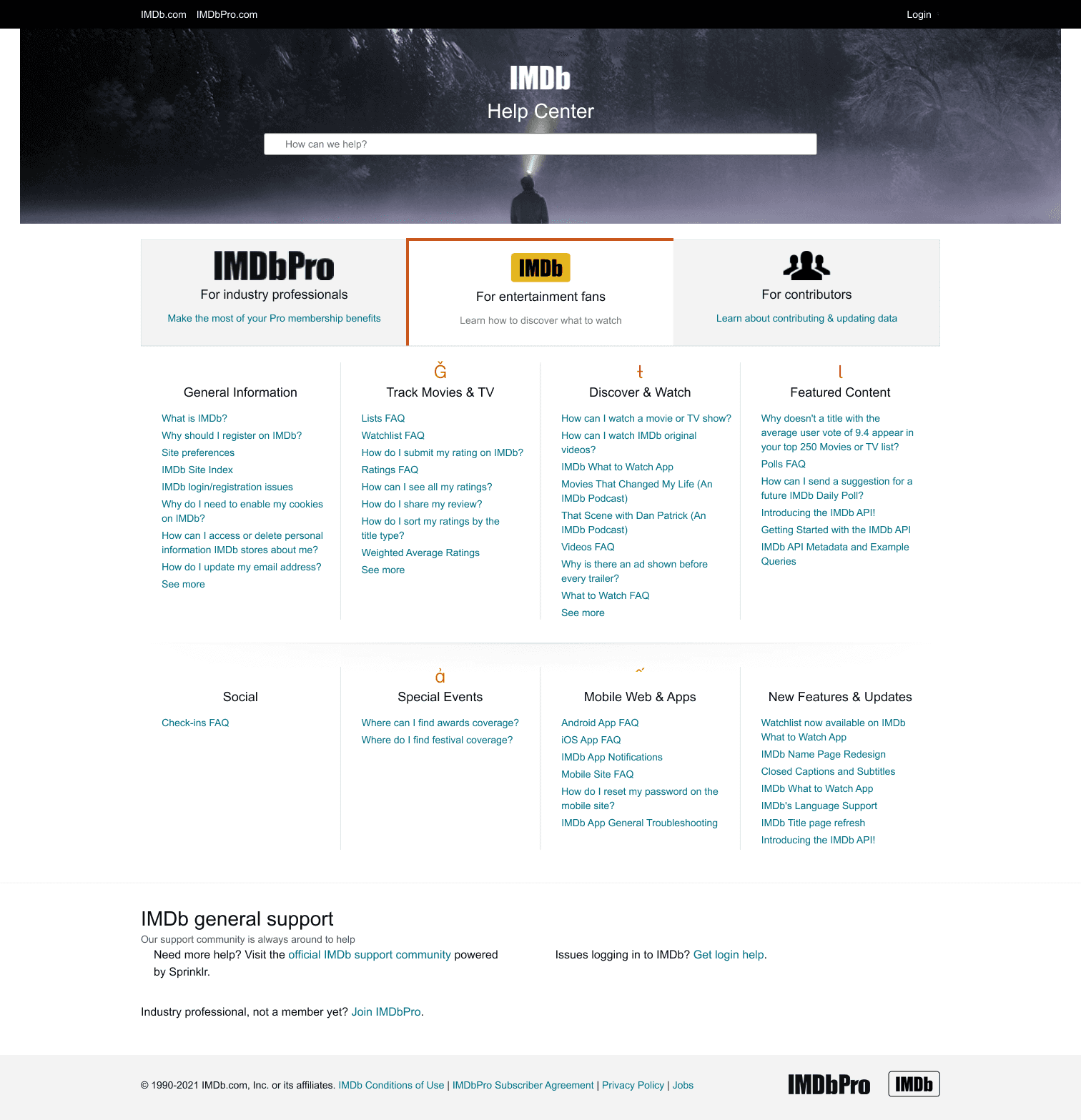
The original IMDb "Help Center" suffered from an overwhelming display of links that forced users to scan through dense, unorganized columns of text to find specific assistance. This lack of visual hierarchy and categorization made the page feel inaccessible and cluttered. By presenting every possible help topic at once, the interface created significant decision paralysis for users who were likely already frustrated and seeking quick solutions.
This was ranked as a Level 3 (Major Usability Problem). The high interaction cost of finding help directly impedes the user’s ability to resolve issues, potentially leading to high bounce rates and a degraded perception of IMDb's support system and overall user experience.
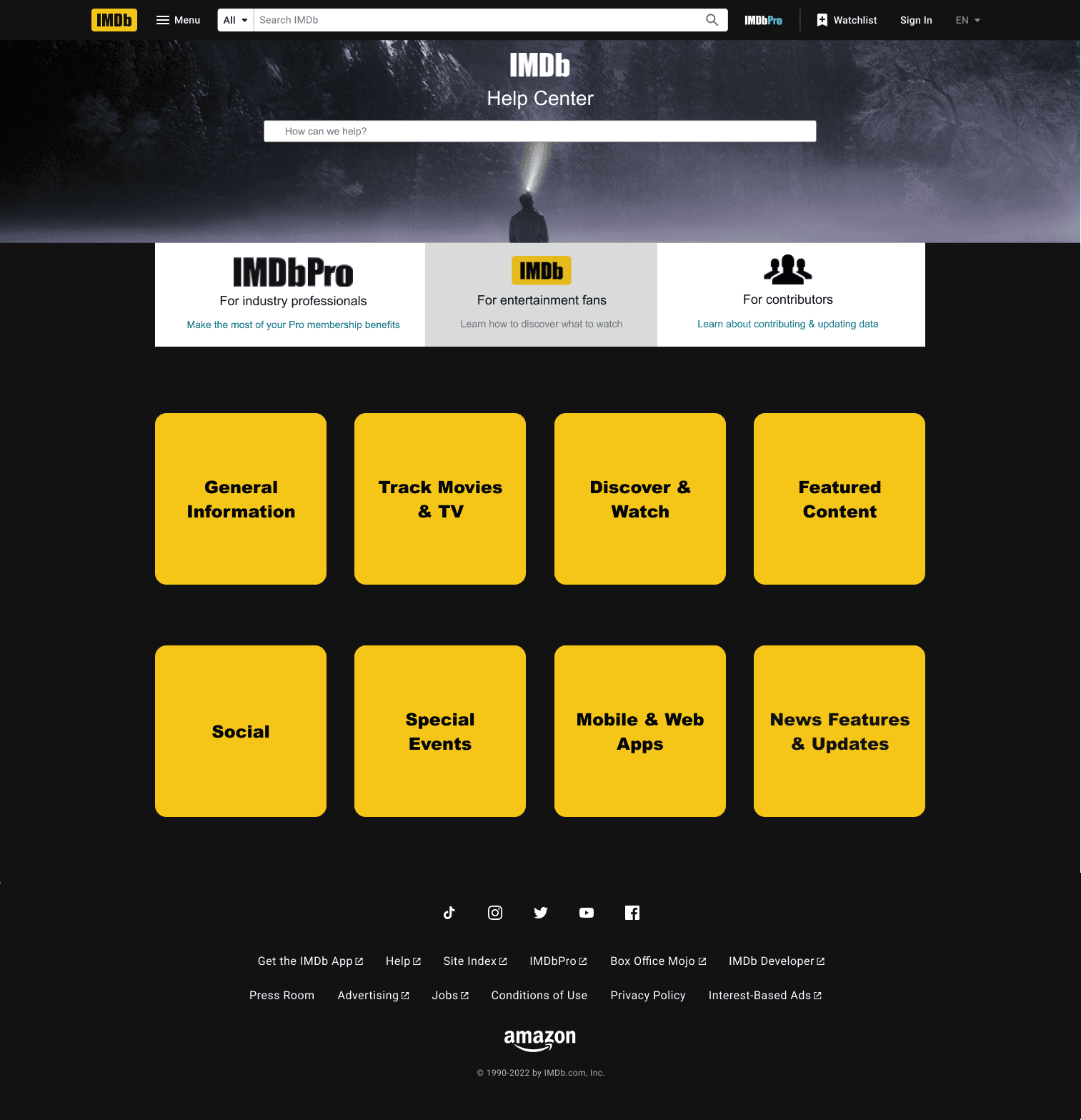
The redesigned Help Center focuses on emphasizing Flexibility and Efficiency of Use by replacing the text-heavy list with high-visibility, card-based categories. In doing so, it resolves the original violation of Aesthetic and Minimalist Design by decluttering the dense, unorganized columns of text and providing a cleaner overall user experience. Additionally, the reintroduction of the global IMDb header and footer ensures a consistent navigation experience, adhering to Consistency and Standards and allowing users to easily return to the main site once their query is resolved.
UI Redesign — Error 404
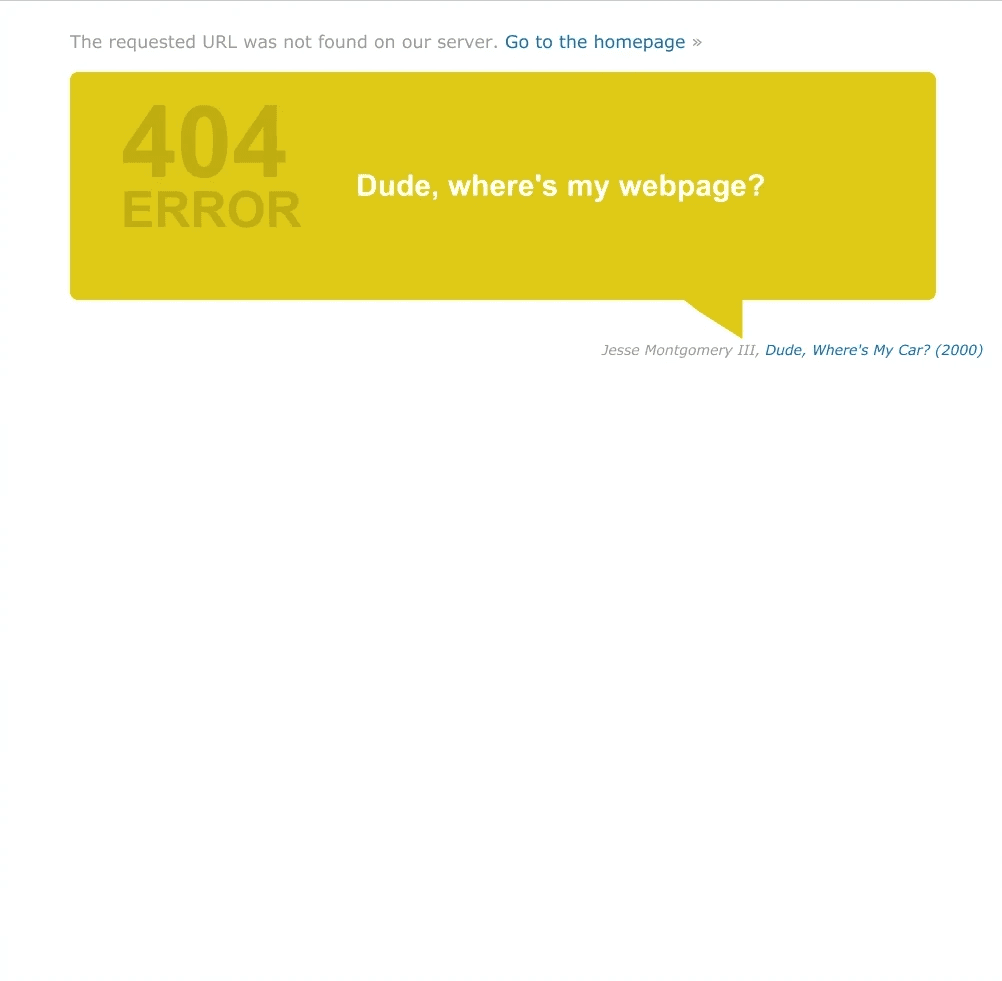
The original IMDb "Error 404" page was a functional dead end. It lacked the site’s global navigation, effectively trapping the user on a broken page with no clear way to return to their previous task. Furthermore, the error message was vague and lacked the brand's personality, failing to provide constructive paths forward beyond a single home link.
This was ranked as a Level 2 (Minor Usability Problem). While an error page is a secondary screen, its failure to provide navigation creates a significant user trap. It is a minor problem only because it doesn't break core functionality, but it represents a lapse in efficient user experience.
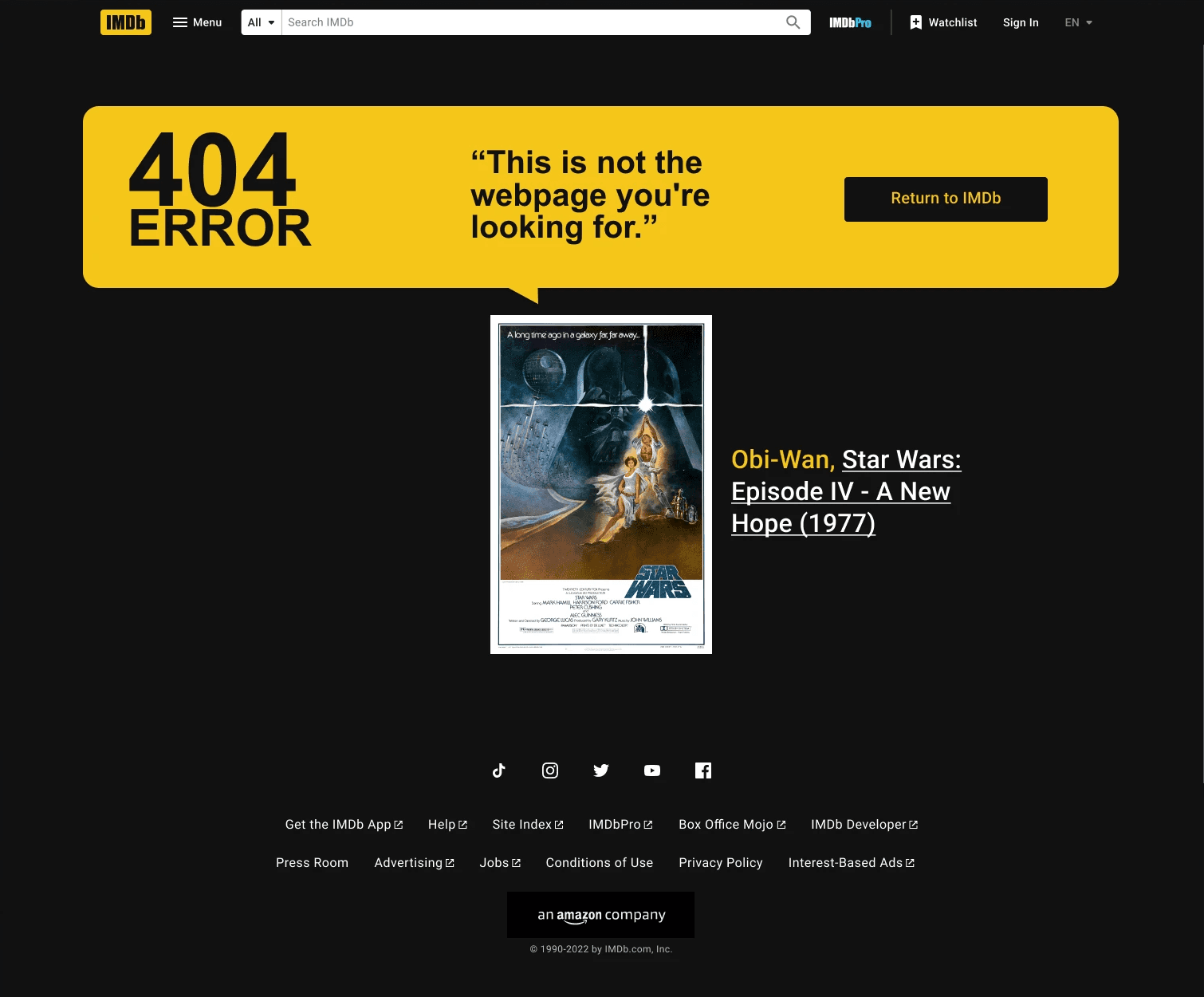
The redesigned "Error 404" page prioritizes User Control and Freedom by re-establishing the global header and footer, immediately giving the user back their navigation anchors. I transformed the "dead end" into a "delight point" by incorporating a movie-themed quote and a featured content card, encouraging continued exploration even when a specific page is missing. By using plain language to explain the error and providing multiple clear calls-to-action (CTAs) like a "Return Home" button, the new design ensures that an error becomes a brief detour rather than the end of a session.
Next Steps
Identifying usability gaps is the first step in a larger product lifecycle. To ensure these design solutions are viable and effective, the following roadmap outlines the transition from high-fidelity prototypes to a live, optimized platform.
Iterative Usability Testing
While the heuristic evaluation provides an expert-led foundation, the next phase involves validating these changes with a diverse user base. By conducting A/B testing on the revised navigation and movie detail pages, I can gather quantitative data to confirm that the interaction cost has been reduced and that the revised user interface successfully facilitates faster content discovery.
Engineering Handoff & Technical Feasibility
A design is only as good as its implementation. My next step involves collaborating with the engineering team to discuss the technical feasibility of the proposed design changes. This ensures that the design system is scalable and that the custom components align with the existing technical architecture.
Performance Monitoring & KPI Tracking
Post launch, the success of this redesign will be measured against Key Performance Indicators (KPIs). Using heatmaps and analytics, I will monitor Session Duration, Click-Through Rates (CTR) on the redesigned components, and Search Success Rates. This data-driven approach allows for continuous refinement based on real-world user behaviour.
Reflections and Takeaways
Redesigning a platform as data-dense and iconic as IMDb was an exercise in balancing legacy with modernization.
The Weight of Usability Debt
I learned that even the most successful platforms can accumulate significant usability debt over time. A systematic heuristic audit is essential for stripping away any unnecessary "noise" and returning the focus to the user's needs.
Prioritization is a Design Skill
Not every usability issue requires an immediate fix. Using the Severity Scale taught me how to advocate for the most critical user needs, ensuring that design efforts are focused where they will have the highest impact on the user experience.
Minimalism as a Utility
In a database-driven app, minimalism isn't just an aesthetic choice—it’s a functional necessity. This project deepened my ability to manage high-density information through Progressive Disclosure, proving that an interface can be data-rich without being overwhelming.